

Radio button
Use radio buttons when you have a group of mutually exclusive choices and only one selection from the group is allowed.
Overview
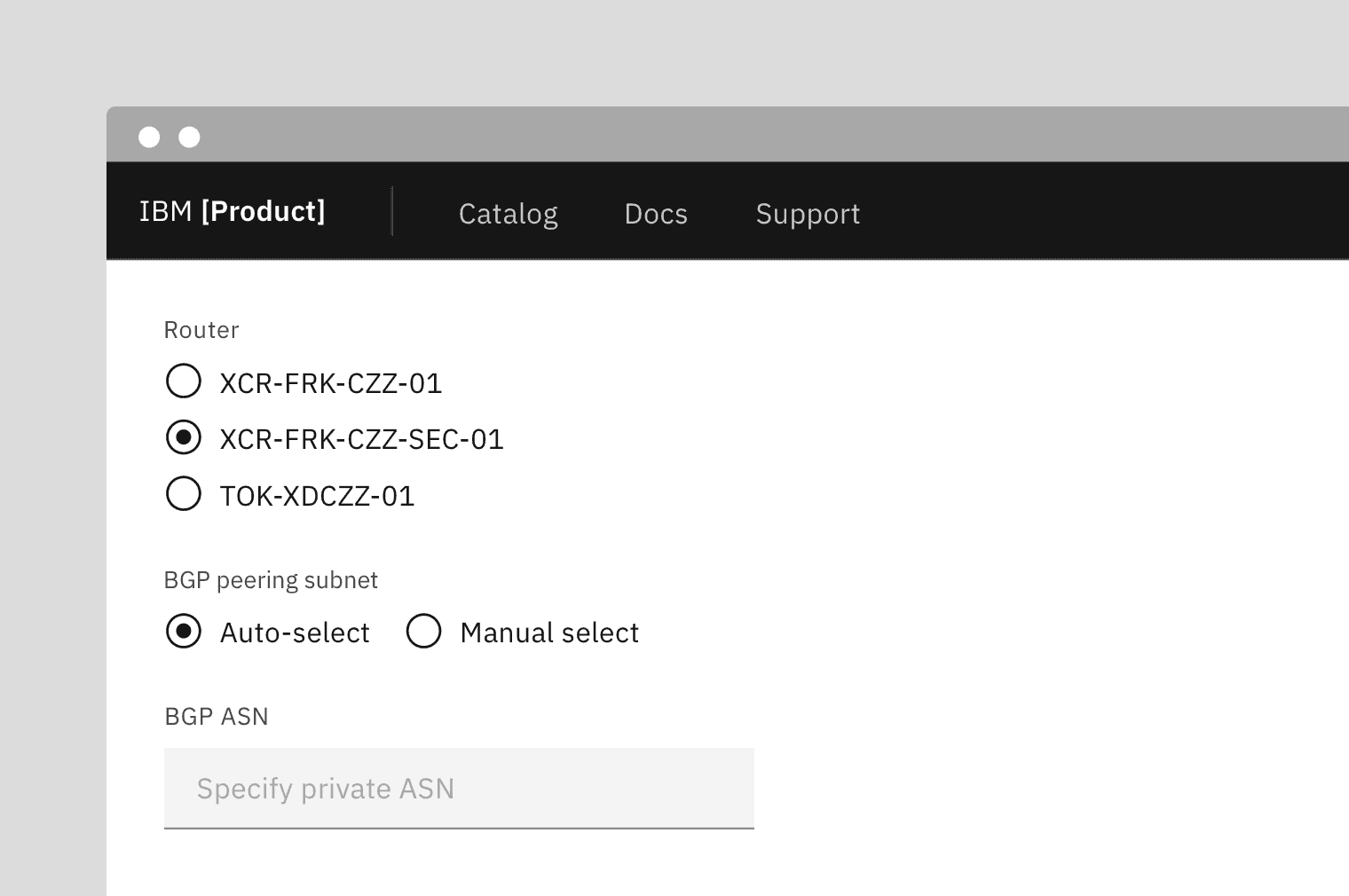
Radio buttons are used for mutually exclusive choices, not for multiple choices. Only one radio button can be selected at a time. When a user chooses a new item, the previous choice is automatically deselected.
Live demo
Note
This live demo contains only a preview of functionality and styles available for this component. Actual widgets may not show the exact same behavior but similar to expected.
CScreen:

    CRadioGroupLayout:
        pos_hint: {"center_x": 0.5, "center_y": 0.5}

        CRadioGroupLabel:
            text: "Radio button group"

        CRadioGroupHelperText:
            text: "Helper text"

        CRadioGroup:
            id: group_master
            pos_hint: {"center_x": 0.5, "center_y": 0.5}
            size_hint_x: None
            width: dp(256)

            CRadioItem:

                CRadioButton:
                    pos_hint: {"center_y": 0.5}
                    group_master: group_master

                CRadioButtonLabel:
                    text: "Radio button label"
                    pos_hint: {"center_y": 0.5}

            CRadioItem:

                CRadioButton:
                    pos_hint: {"center_y": 0.5}
                    group_master: group_master

                CRadioButtonLabel:
                    text: "Radio button label"
                    pos_hint: {"center_y": 0.5}

            CRadioItem:

                CRadioButton:
                    pos_hint: {"center_y": 0.5}
                    group_master: group_master

                CRadioButtonLabel:
                    text: "Radio button label"
                    pos_hint: {"center_y": 0.5}
Example
import os
import sys

from kivy.resources import resource_add_path

sys.path.insert(0, os.path.dirname(__file__))
resource_add_path(os.path.dirname(__file__))

from kivy.clock import Clock
from kivy.core.window import Window

from webview import WebView, prewarm_webview


def set_softinput(*args) -> None:
    Window.keyboard_anim_args = {"d": 0.2, "t": "in_out_expo"}
    Window.softinput_mode = "below_target"


Window.on_restore(Clock.schedule_once(set_softinput, 0.1))

appkv = """
CScreen:

    CRadioGroupLayout:
        pos_hint: {"center_x": 0.5, "center_y": 0.5}

        CRadioGroupLabel:
            text: "Radio button group"

        CRadioGroupHelperText:
            text: "Helper text"

        CRadioGroup:
            id: group_master
            pos_hint: {"center_x": 0.5, "center_y": 0.5}
            size_hint_x: None
            width: dp(256)

            CRadioItem:

                CRadioButton:
                    pos_hint: {"center_y": 0.5}
                    group_master: group_master

                CRadioButtonLabel:
                    text: "Radio button label"
                    pos_hint: {"center_y": 0.5}

            CRadioItem:

                CRadioButton:
                    pos_hint: {"center_y": 0.5}
                    group_master: group_master

                CRadioButtonLabel:
                    text: "Radio button label"
                    pos_hint: {"center_y": 0.5}

            CRadioItem:

                CRadioButton:
                    pos_hint: {"center_y": 0.5}
                    group_master: group_master

                CRadioButtonLabel:
                    text: "Radio button label"
                    pos_hint: {"center_y": 0.5}
"""

from kivy.lang import Builder

from carbonkivy.app import CarbonApp
from carbonkivy.uix.screen import CScreen


class myapp(CarbonApp):
    def __init__(self, *args, **kwargs):
        super(myapp, self).__init__(*args, **kwargs)

    def build(self) -> CScreen:
        screen = Builder.load_string(appkv)
        return screen


if __name__ == "__main__":
    myapp().run()
API
- class carbonkivy.uix.radio.radio.CRadioButton(*args: Any, **kwargs: Any)[source]
Bases:
CIconCircular,StateFocusBehavior,ButtonBehavior,SelectableBehaviorCRadioButton is a custom checkbox widget that inherits from AdaptiveBehavior, CIconCircular, BackgroundColorBehaviorCircular, StateFocusBehavior and ButtonBehavior.
- active[source]
BooleanProperty(defaultvalue=True, **kw) Property that represents only a boolean value.
- Parameters:
- defaultvalue: boolean
Specifies the default value of the property.
- group_master[source]
ObjectProperty(defaultvalue=None, rebind=False, **kw) Property that represents a Python object.
- Parameters:
- defaultvalue: object type
Specifies the default value of the property.
- rebind: bool, defaults to False
Whether kv rules using this object as an intermediate attribute in a kv rule, will update the bound property when this object changes.
That is the standard behavior is that if there’s a kv rule
text: self.a.b.c.d, wherea,b, andcare properties withrebindFalseanddis aStringProperty. Then when the rule is applied,textbecomes bound only tod. Ifa,b, orcchange,textstill remains bound tod. Furthermore, if any of them wereNonewhen the rule was initially evaluated, e.g.bwasNone; thentextis bound toband will not become bound todeven whenbis changed to not beNone.By setting
rebindtoTrue, however, the rule will be re-evaluated and all the properties rebound when that intermediate property changes. E.g. in the example above, wheneverbchanges or becomes notNoneif it wasNonebefore,textis evaluated again and becomes rebound tod. The overall result is thattextis now bound to all the properties amonga,b, orcthat haverebindset toTrue.- **kwargs: a list of keyword arguments
- baseclass
If kwargs includes a baseclass argument, this value will be used for validation: isinstance(value, kwargs[‘baseclass’]).
Warning
To mark the property as changed, you must reassign a new python object.
Changed in version 1.9.0: rebind has been introduced.
Changed in version 1.7.0: baseclass parameter added.
- on_group_master(*args)[source]
- class carbonkivy.uix.radio.radio.CRadioGroup(**kwargs)[source]
Bases:
CSelectionLayout
- class carbonkivy.uix.radio.radio.CRadioGroupHelperText(*args: Any, **kwargs: Any)[source]
Bases:
CLabel
- class carbonkivy.uix.radio.radio.CRadioGroupLayout(*args: Any, **kwargs: Any)[source]
Bases:
RelativeLayout
- class carbonkivy.uix.radio.radio.CRadioItem(*args: Any, **kwargs: Any)[source]
Bases:
CBoxLayout
- class carbonkivy.uix.radio.radio.CRadioItemLabelNeutral(*args: Any, **kwargs: Any)[source]
Bases:
CLabelNeutral